
Mobile app
Ultimate Incident Report
Professional security incident reporting. Standalone or alongside your existing software.
Ultimate Incident Report is a dedicated security incident-reporting system that gives guards a consistent way to document incidents, maintain shift records, and submit reports. Use it as your company's primary incident-reporting solution, or alongside the scheduling, dispatch, workforce management, and patrol software you already use.
 App Store · Coming soon
What is Ultimate Incident Report?
Security companies need reliable incident reporting, regardless of whether their guards are permanent employees, subcontractors, or temporary personnel.
Ultimate Incident Report is a dedicated security incident-reporting system that gives guards a consistent way to document incidents, maintain shift records, and submit reports.
Use it as your company's primary incident-reporting solution, or alongside the scheduling, dispatch, workforce management, and patrol software you already use. One focused reporting system. Flexible licensing. No need to replace the rest of your operation.
Incident reporting
One focused reporting system
-
A complete standalone reporting solution
Not every security company needs an extensive workforce management platform. Sometimes the requirement is straightforward: give guards a professional tool for documenting incidents and submitting reports. Ultimate Incident Report works independently as a dedicated reporting solution. It does not require your company to subscribe to a separate scheduling or workforce management platform.
-
Particularly useful for subcontractors and temporary guards
Adding someone to an entire workforce management platform just so they can submit an incident report can create unnecessary administrative work. Ultimate Incident Report uses reusable company licenses. A company purchases a pool of seats, assigns them to guards as needed, and reclaims them when assignments end. A guard might use the app for one day, one week, or an ongoing assignment. The company does not need to maintain a permanent account for every person who works a shift.
-
Simple company onboarding and seat management
Companies manage their licenses through a dedicated online portal. Assign available seats, record the guard's name and employer, with optional location and notes, and copy a ready-to-send onboarding message with the app links, authorization code, and setup instructions. Send those instructions by text, email, or in person. Clear a seat when an assignment ends and generate a new authorization code, or schedule automatic seat expiration. Add seats as the operation grows. When a guard activates a code, it becomes associated with that phone. The same seat can later be reassigned after the company clears it.
-
Works alongside your existing security software
Continue using your existing platforms for guard scheduling and workforce management, dispatch and operational coordination, GPS tracking and patrol management, and client management. Use Ultimate Incident Report for incident documentation and reporting. You do not have to replace an established system or move your entire operation to another platform just to give guards a dedicated reporting tool.
-
Professional incident documentation
Create organized reports for security-related situations, including theft and burglary, trespassing and unauthorized access, suspicious activity, disturbances and disputes, threats and assaults, medical emergencies, fire and alarm incidents, property damage, safety concerns, lost and found property, policy violations, and other security-related incidents. Document what happened, maintain a record of events, and prepare reports for submission.
-
Flexible annual company licensing
Companies purchase annual packages with a defined number of seats. Assign and reuse seats as staffing needs change, add seats during the subscription year at a prorated package rate, upgrade packages as the operation grows, and schedule eligible downgrades for the next renewal. Manage billing and subscriptions through the company portal. A 7-day free trial lets companies get started before their first payment.
The app
Designed for real-world guard assignments
- Use it as a standalone reporting system, or alongside the software you already use
- Reusable company licenses: a pool of seats you assign and reclaim
- A ready-to-send onboarding message with app links, the authorization code, and setup instructions
- Schedule automatic seat expiration for a future date and time
- A guard who works for more than one company can use the app with each company's authorization
- When a company clears a seat, existing reports remain available on the phone, and a shift already in progress can be completed and submitted
- Reports and photos stay on the guard's device and are sent with the phone's own email app
Screenshots
From shift start to a report you can send
-
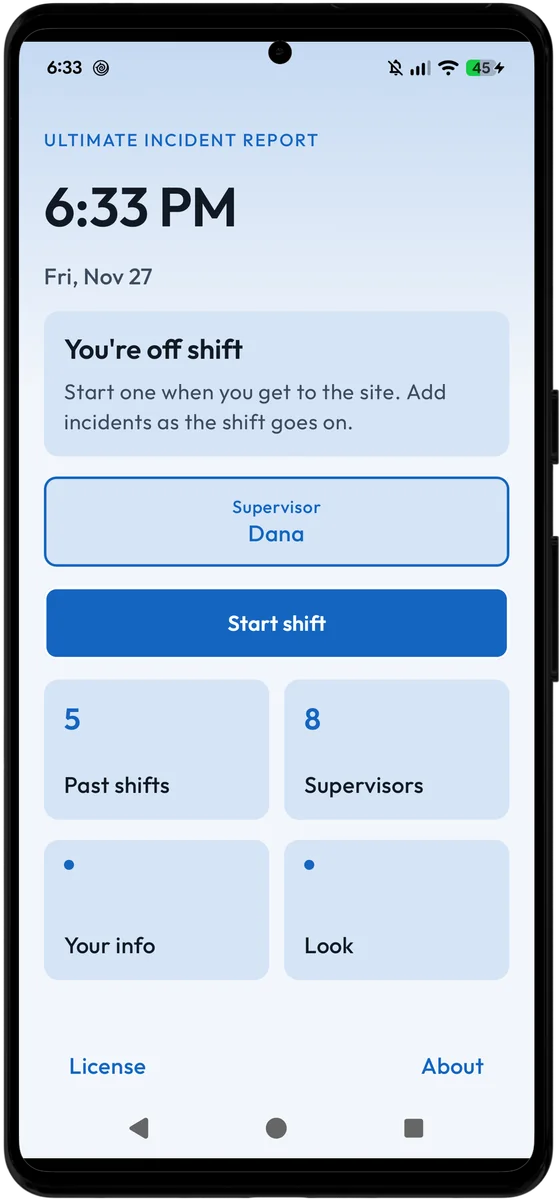
Home screen -
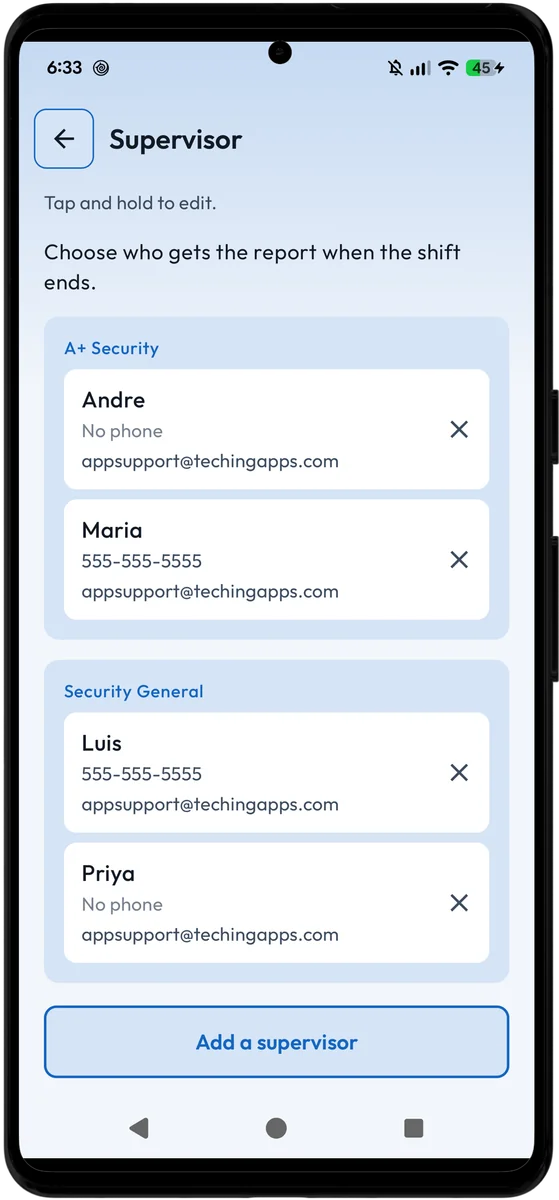
Add supervisor -
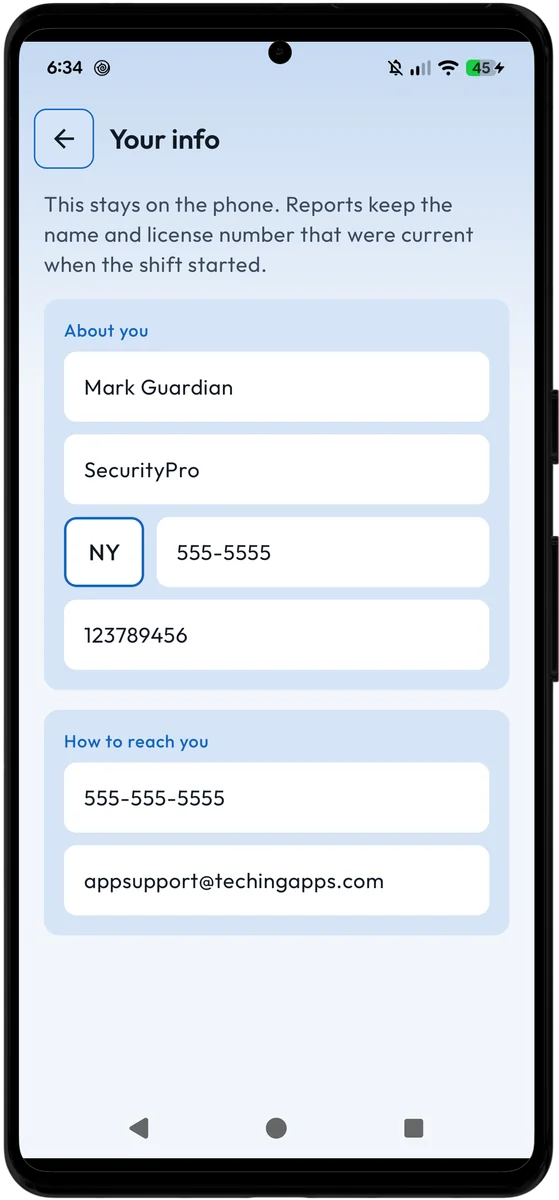
Add your info -
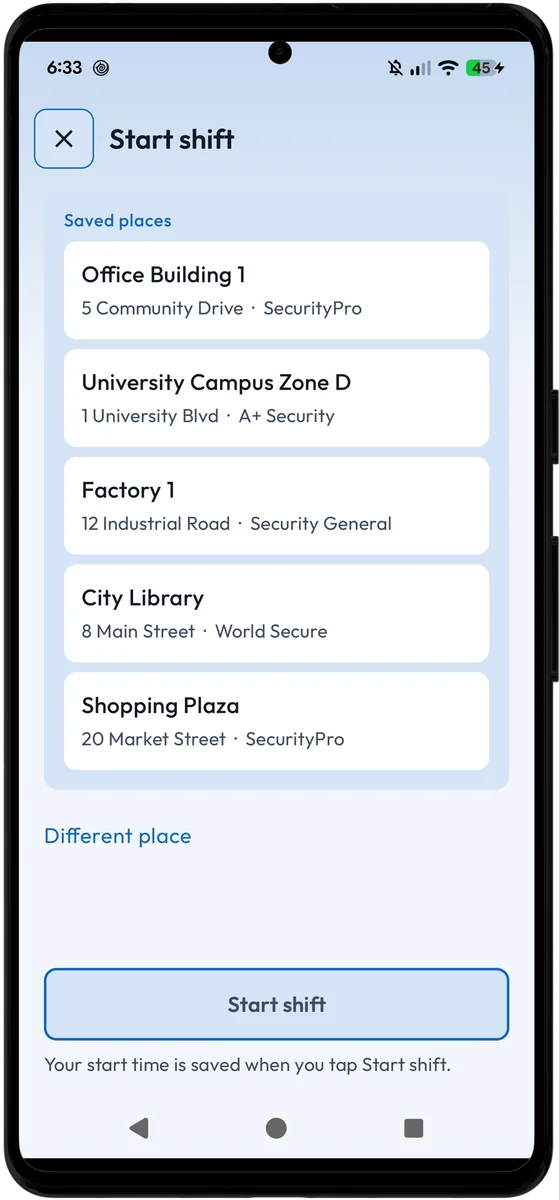
Start shift: add location -
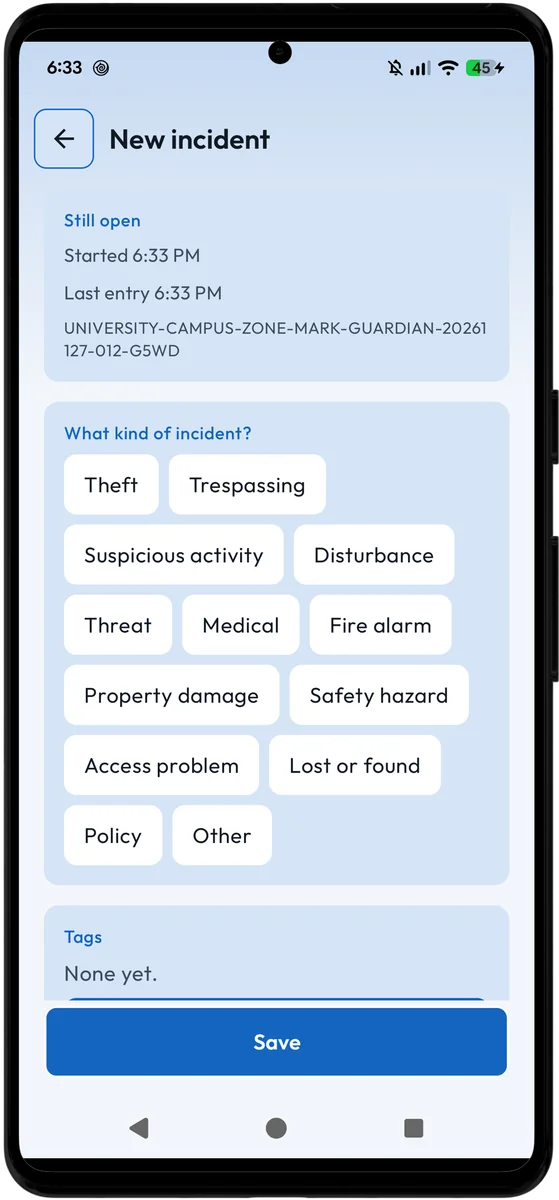
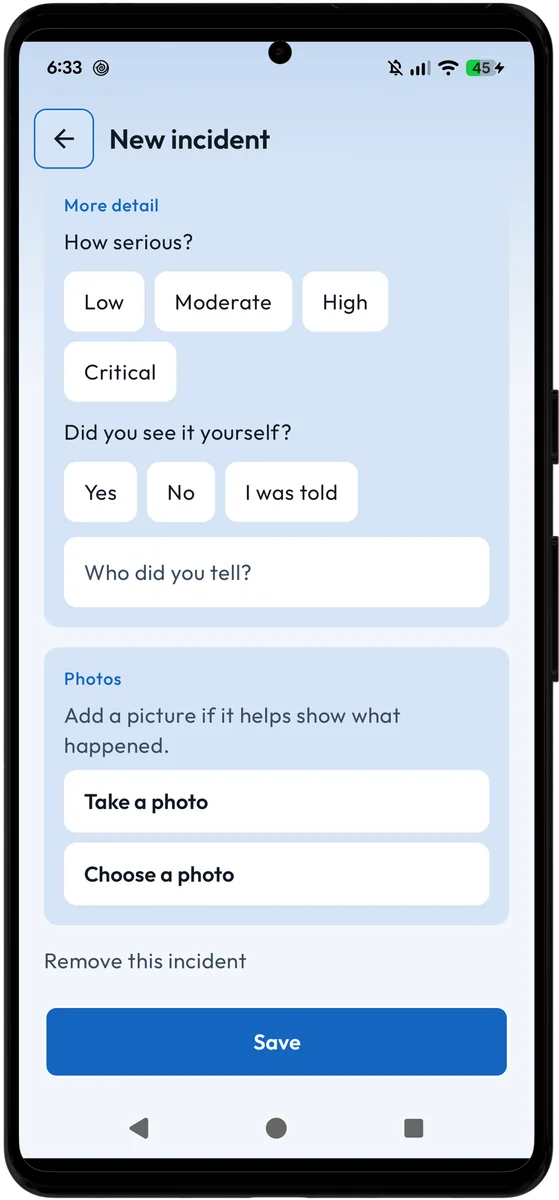
Add incident -
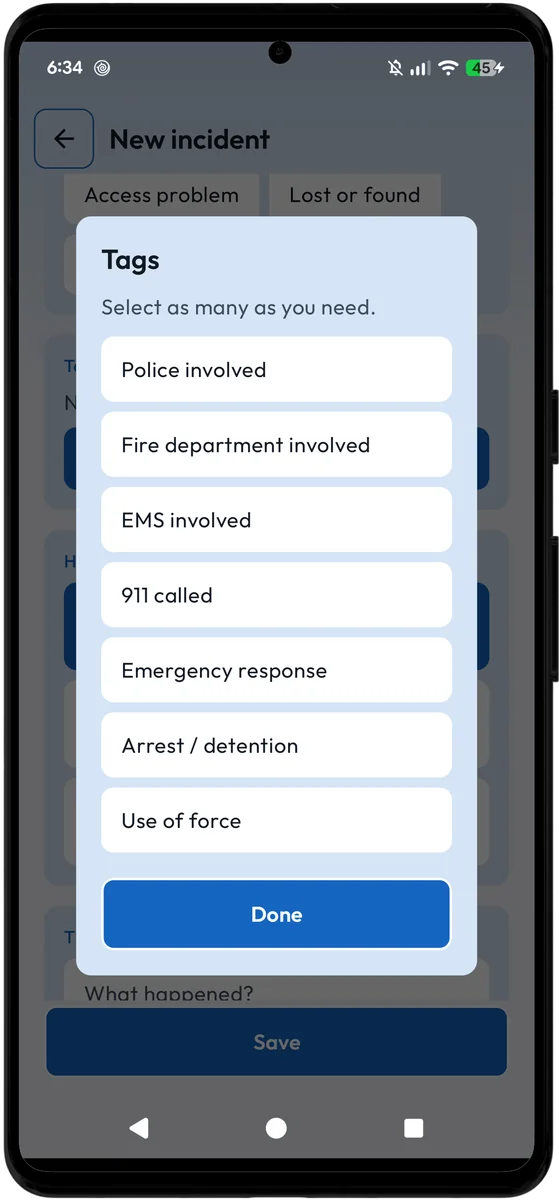
Tag incident -
End shift -
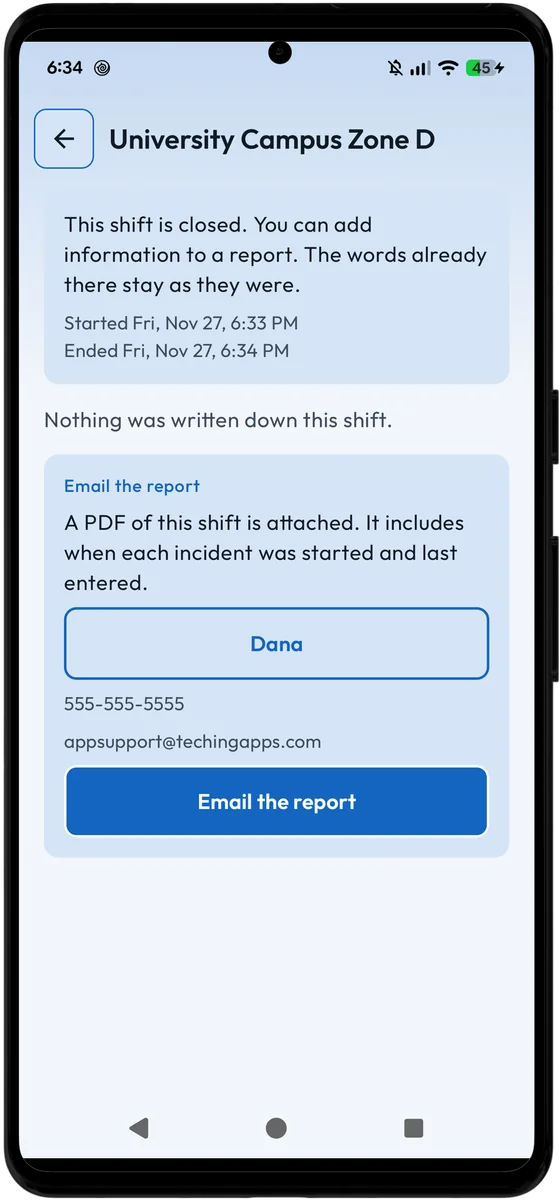
Email supervisor your report -
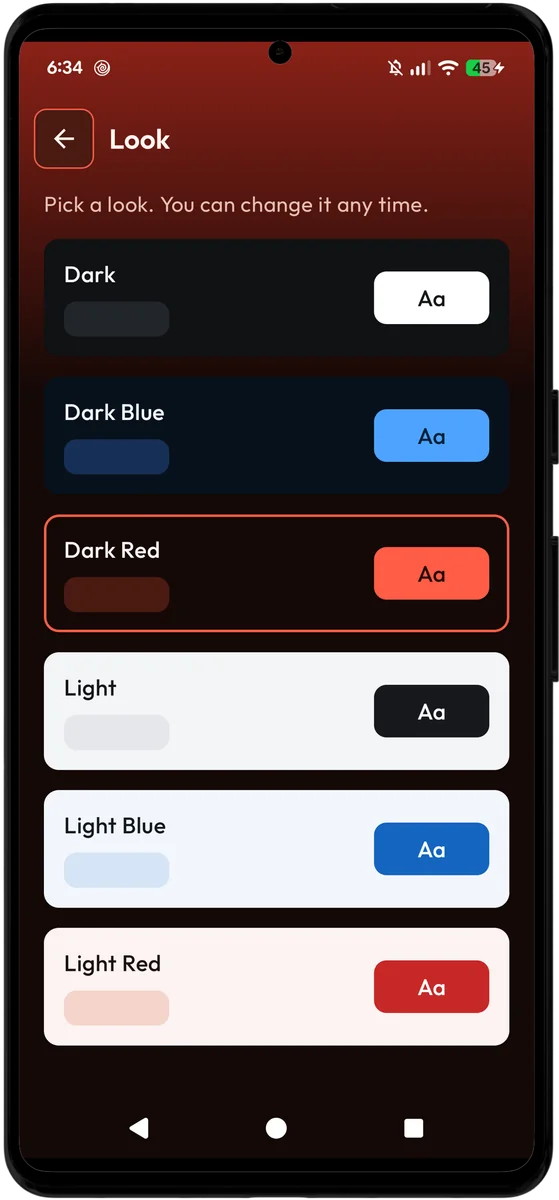
Multiple themes -
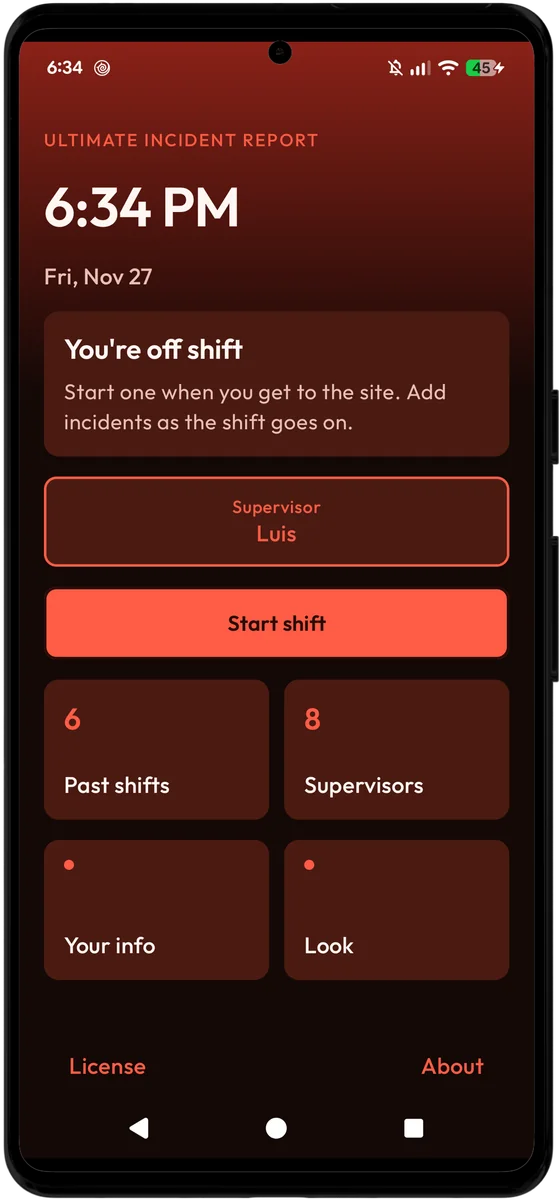
Red and black theme -
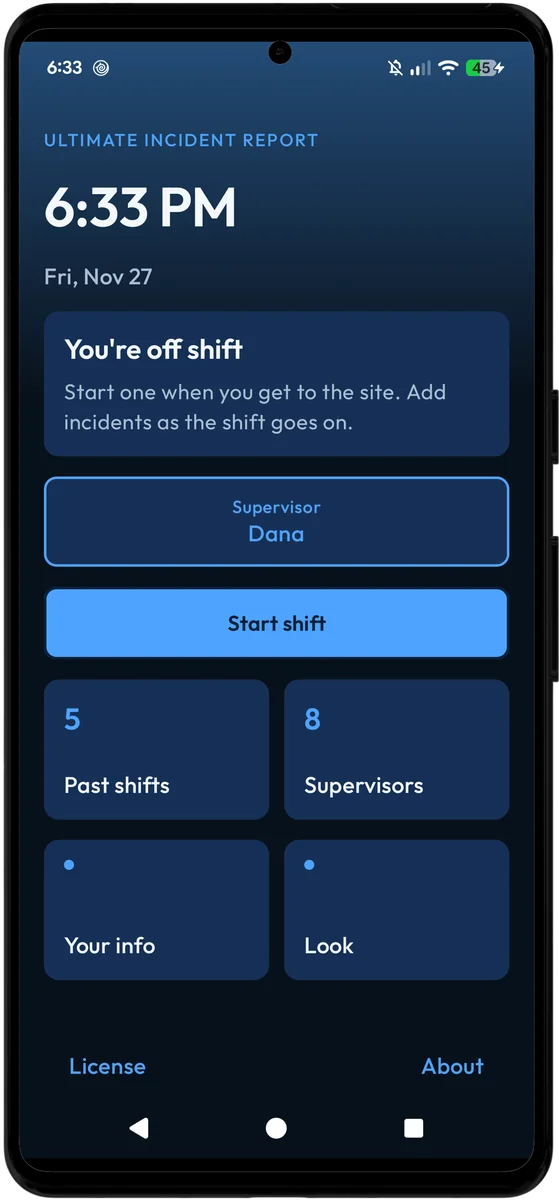
Blue and black theme
Company portal
Simple company onboarding and seat management
Companies manage their licenses through a dedicated online portal.
-
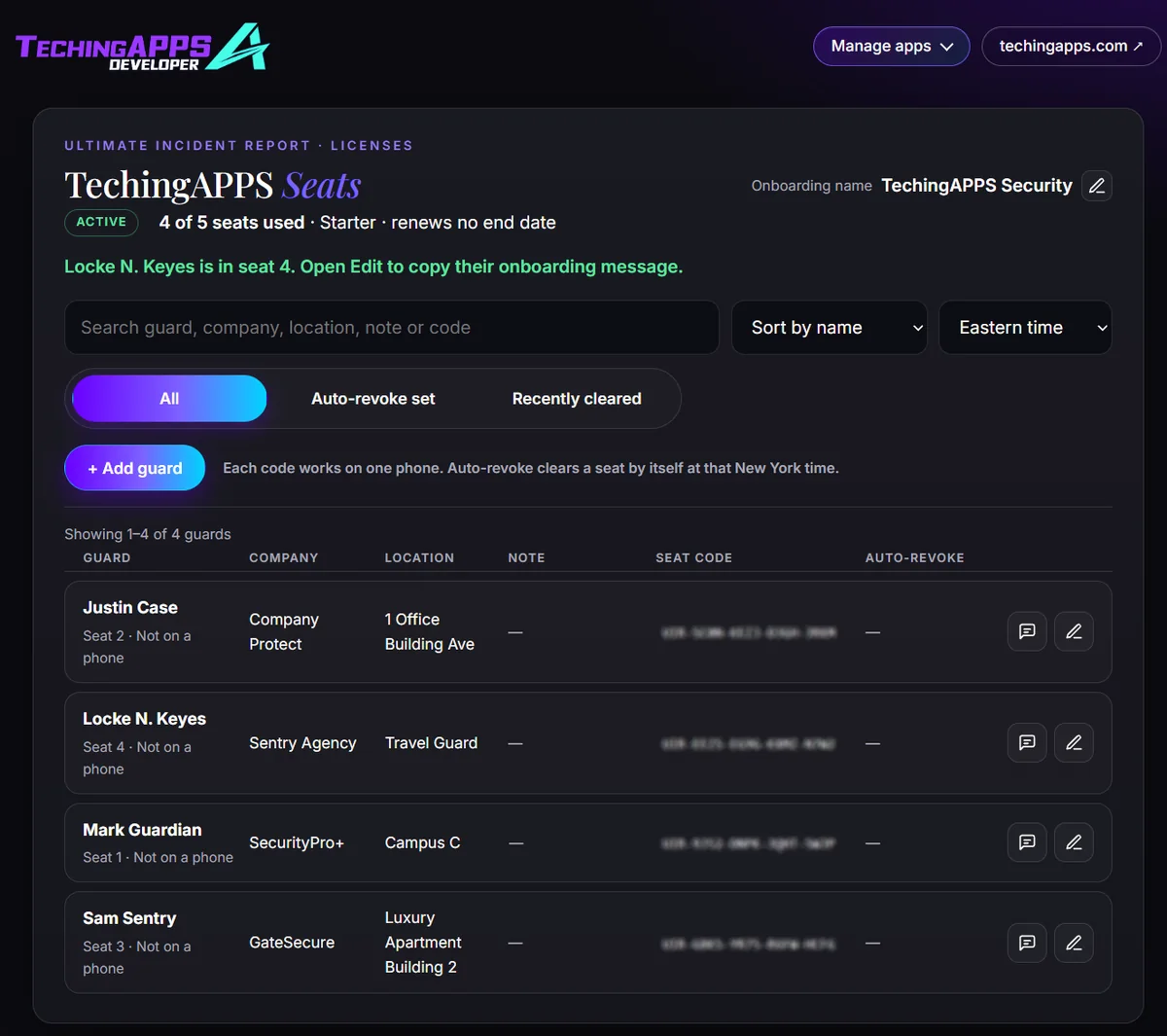
Log in to the account portal -
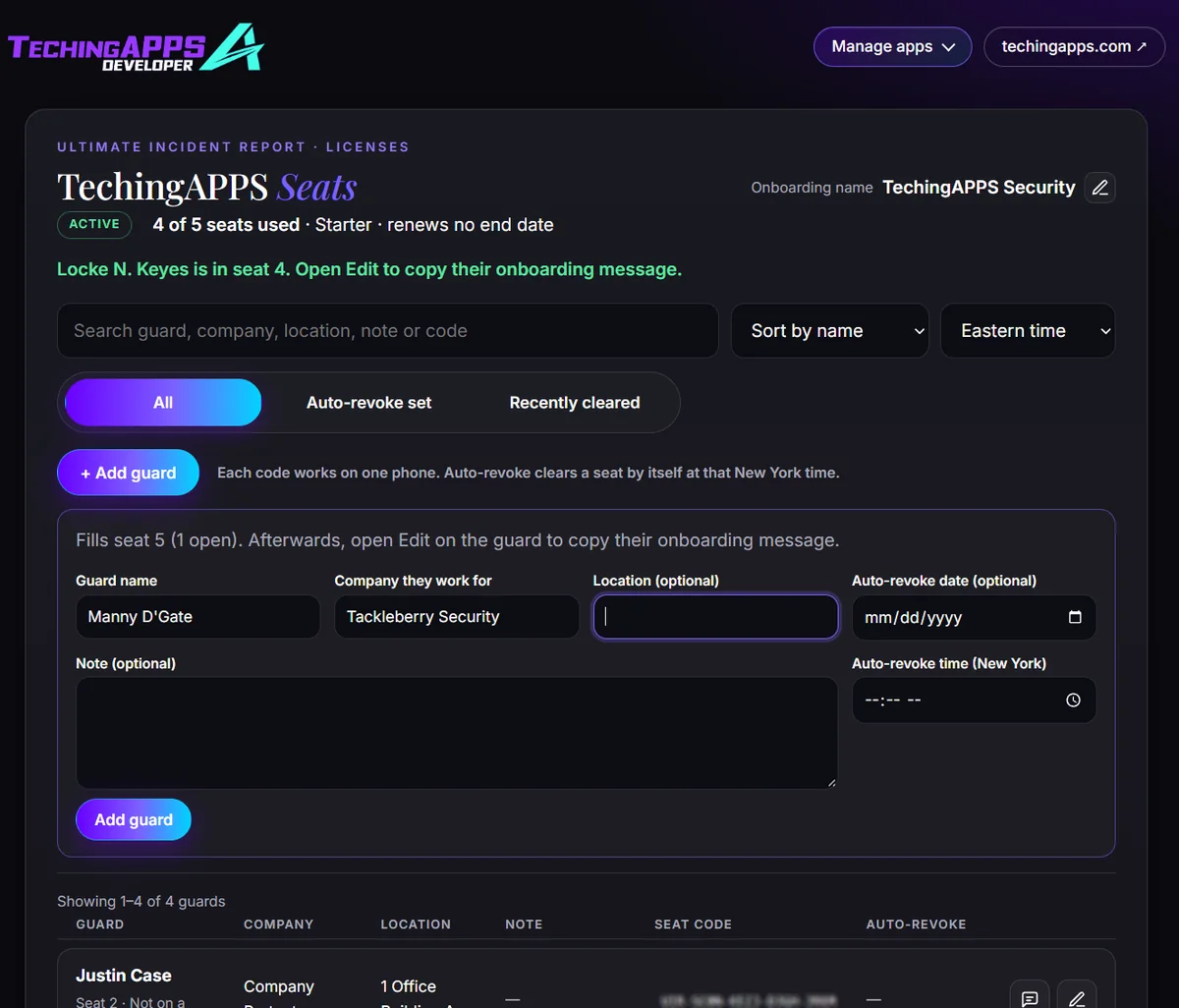
Add guards (seats) -
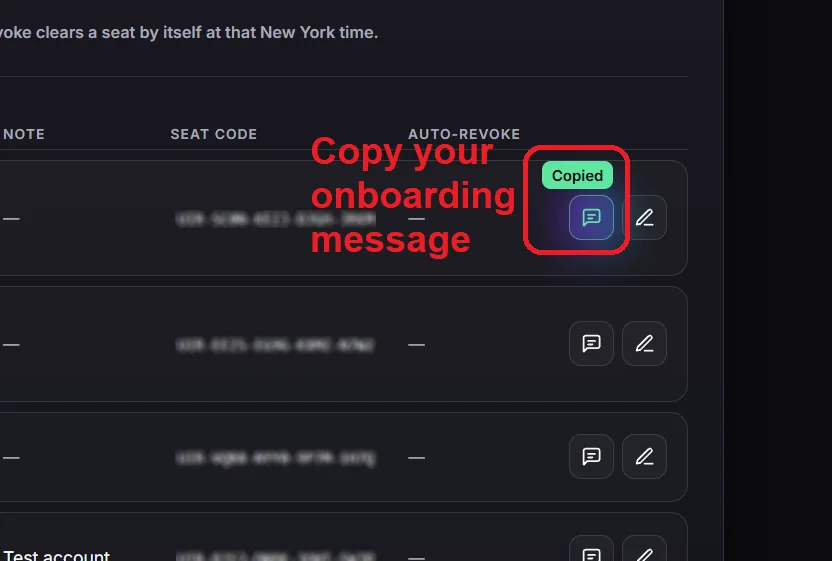
Copy the onboarding message -
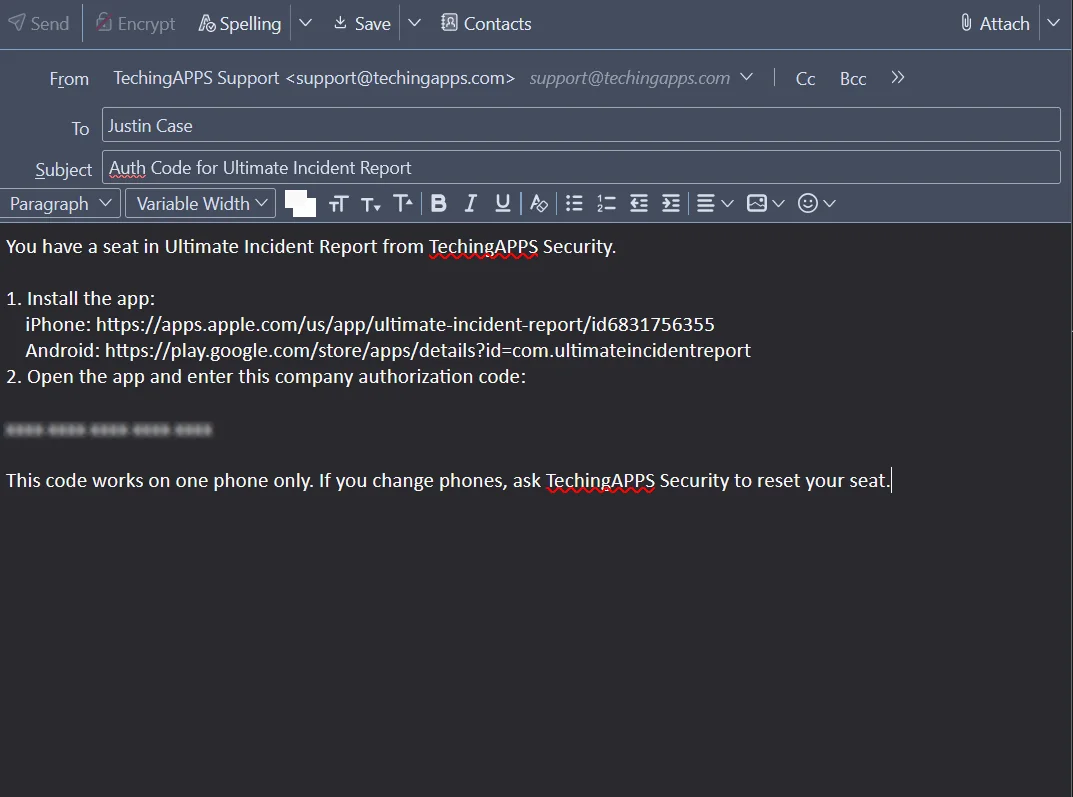
Email the guard their authorization code
On the device
Your reports stay on your device
Incident reports can contain sensitive information. Ultimate Incident Report follows a local-first approach.
Reports and associated photos remain on the guard's device. When a report is ready, the guard uses the phone's own email application to send it to the appropriate recipient.
TechingAPPS does not receive or store incident reports, photographs, incident locations, or report contents on its licensing server. Your company can use its existing email, storage, and recordkeeping procedures without depending on another centralized incident-reporting cloud.
FAQ
Incident reporting questions
What is Ultimate Incident Report?
A dedicated security incident-reporting system that gives guards a consistent way to document incidents, maintain shift records, and submit reports. Use it as your company's primary incident-reporting solution, or alongside the scheduling, dispatch, workforce management, and patrol software you already use.
Can we use it alongside the software we already use?
Yes. Continue using your existing platforms for scheduling, dispatch, GPS tracking and patrol management, and client management. Use Ultimate Incident Report for incident documentation and reporting. You do not have to replace an established system.
How do company licenses work?
A company purchases a pool of seats, assigns them to guards as needed, and reclaims them when assignments end. Each seat has its own authorization code. When a guard activates it, the code becomes associated with that phone. The same seat can later be reassigned after the company clears it. Companies manage licenses through a dedicated online portal.
Where are incident reports stored?
Reports and associated photos remain on the guard's device. When a report is ready, the guard uses the phone's own email application to send it. TechingAPPS does not receive or store incident reports, photographs, incident locations, or report contents on its licensing server.
What happens when a company clears a seat?
The guard can no longer start new shifts under that authorization. Existing reports remain available on the phone, and a shift already in progress can be completed and submitted.
Can a guard work for more than one company?
Yes. A guard who works for more than one security company can use Ultimate Incident Report with each company's authorization. Each company manages its own licenses independently.
Ultimate Incident Report
A focused tool for a real operational need
Use it as a standalone reporting system or as a specialized reporting tool alongside your existing security software. Equip permanent employees, subcontractors, and temporary guards with the same reporting application, while keeping company administration straightforward and sensitive incident documentation on the device.
App Store · Coming soon