If you’ve never built a production app from scratch, it’s easy to assume the finish line is the day Apple and Google finally approve your build.
It isn’t. Shipping the code is just the entry fee.
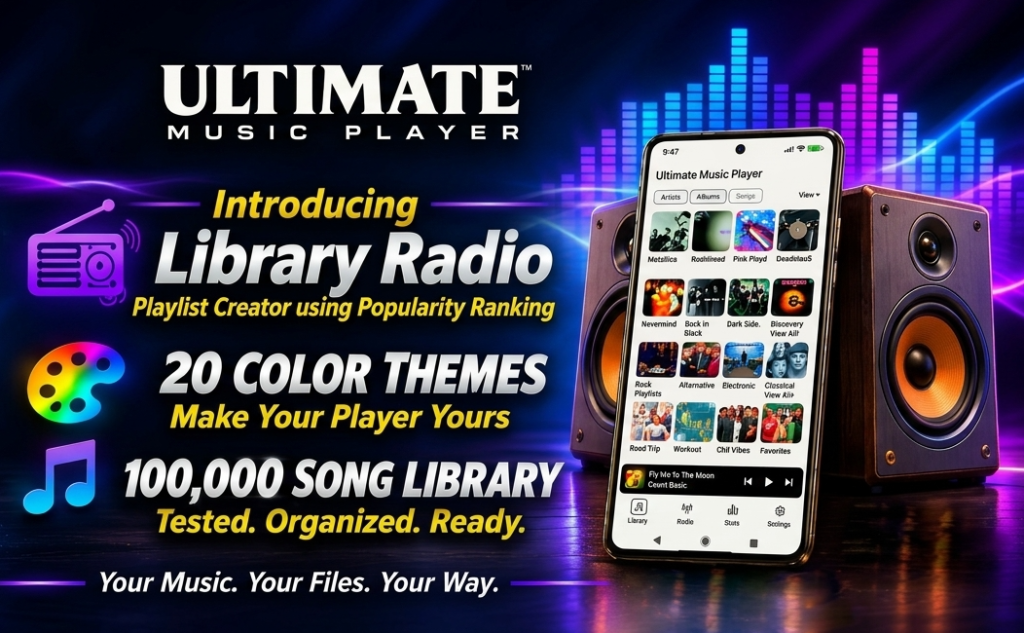
I learned that lesson all over again while building Ultimate Music Player (UMP), an offline-first, zero-tracking local music player for iOS and Android. Getting it across the finish line was a grueling stretch of late nights, broken dependencies, weird library quirks, and bugs that only show up when you least expect them.
And once you survive all of that, you run straight into an even harder problem: telling people your app actually exists.
Why Building Real Software Is Still Brutal
I didn’t want to build just another basic local music player—there are plenty of those already. I wanted an app that lets people ditch streaming algorithms, play what they actually own, and turn massive local collections (100,000+ songs deep) into interactive, smart libraries completely offline.
That meant engineering features that sound simple on paper and turn into rabbit holes in practice:
- Library Radio & Dynamic Playlists: Generating instant, on-the-fly radio stations from your own files based on artist, genre, release era, or song popularity—without uploading or touching a single audio file.
- Audiophile & Everyday Polish: Supporting bit-perfect output, gapless playback, custom EQ presets, UTF-8 M3U8 playlist imports, Android Auto, and swappable visual themes like Paper, CRT, Neon, and Ink.
- The Metadata API Gauntlet: To power optional cloud metadata enrichment (fetching missing genres, release years, and popularity stats while keeping the audio strictly on-device), I had to wrestle with music data services and their API rules.
Anyone who has worked with MusicBrainz and ListenBrainz knows the pain. Between strict rate limits (MusicBrainz enforces an average of 1 request per second per IP before throwing HTTP 503s), batching queries, and trying to pull everything you need on the first pass, a huge chunk of development time just disappears into plumbing.
Worse, search for a single album on MusicBrainz and you might get 15 different releases back: the standard edition, the deluxe edition, the Japanese import, the vinyl pressing, the 2014 remaster. Every single one has its own MusicBrainz ID—and ListenBrainz popularity stats map to those IDs. Pull the wrong ID off the wrong pressing, and suddenly a massive hit shows 400 listens instead of 50,000. Don’t even remind me.
The Indie Developer’s Catch-22 (“AI SLOP!”)
Anyway—let’s switch gears before my blood pressure spikes again. I do have to cook a turkey later.
As exhausting as the engineering is, the hardest part of releasing software today isn’t coding. It’s distribution.
Go onto Reddit or into niche online communities where your exact target audience hangs out, post about something you spent months building, and watch what happens:
- Half the time, your post gets removed or you get banned from the subreddit.
- The other half of the time, someone immediately comments “AI SLOP!”—even when you spent months hand-tuning audio engines, database indexing, and API edge cases.
Here’s the ironic part: I don’t even blame the moderators. They’re drowning in low-effort, overnight-generated spam apps. But by blanket-banning developers who talk about their own work, communities end up manufacturing the exact future they hate. Why would an indie developer spend six months building something genuinely thoughtful if there’s nowhere left to tell people it exists? If real builders get pushed out, all that’s left in the feed is the actual AI slop.
So How Do You Get Users Without Burning Cash on Ads?
When you hit that wall, the knee-jerk reaction is to throw money at TikTok, Meta, or search ads.
Initially, I say no to paid ads. Paid ads have their place in very specific situations—like validating a high-ticket SaaS offer or scaling an app that already has proven, predictable unit economics. For an indie utility or consumer app on day one, burning cash on cold ads before your organic foundation is built is usually just a fast way to fund a tech giant’s quarterly earnings.
Instead, you can still get real, organic users by doing things the smart, old-school way—updated for how people actually search today. That comes down to three acronyms: SEO, GEO, and ASO.
1. SEO & GEO (Generative Engine Optimization)
Everyone in development or marketing knows SEO (Search Engine Optimization)—structuring your website so Google ranks it when people search for answers.
GEO (Generative Engine Optimization) is the modern counterpart: structuring your web presence so AI search engines and assistants (ChatGPT, Gemini, Perplexity, Google AI Overviews) understand what your product is, trust it, and recommend it when someone asks a question.
Honestly, building a clean, dedicated product website engineered for GEO and SEO is a far better long-term investment than lighting money on fire with TikTok ads. Here’s how to build one that works:
- Write around real user questions, not just buzzwords: Create dedicated pages or FAQ sections that directly answer queries like “best offline music player for large FLAC libraries” or “how to play local music on Android Auto without streaming.” AI models extract clear, direct answers.
- Define your entity clearly: Spell out exactly what the app is, who it’s for, what platforms it runs on, what problem it solves, and what makes it different (e.g., no subscriptions, zero data tracking, local files never leave your device).
- Make it crawler-friendly: Use clean HTML headings (
H1,H2,H3), fast-loading pages, clearrobots.txtrules that don’t accidentally block search or AI crawlers, and structured data (SoftwareApplicationandFAQPageschema) so machines don’t have to guess what your page is about. - Build comparison and use-case pages: People ask AI tools to compare options. Having honest, clear breakdowns of how your app approaches privacy, offline playback, or library size gives search engines concrete facts to cite.
2. ASO (App Store Optimization)
If SEO and GEO bring people to your door, ASO is what gets you found inside the Apple App Store and Google Play—and convinces someone to tap Install in under five seconds.
With over two million apps on each store, good apps don’t get discovered by accident. A few practical ASO rules that actually move the needle:
- Put your strongest keywords where they carry the most weight: On Apple’s App Store, the App Name and Subtitle carry the heaviest ranking weight, followed by the 100-character keyword field (use comma-separated single words, no spaces, and never repeat words you already used in the title or subtitle). On Google Play, your Title, Short Description, and natural phrasing in the Long Description are all indexed.
- Design your first 3 screenshots like a billboard: Most shoppers never scroll past the third screenshot. Give each of your first three frames one clear job and one bold, readable headline focused on the user outcome (e.g., “100,000+ Songs. Zero Cloud.” or “Instant Radio From Your Own Library”) rather than burying people in tiny UI text.
- Use real user language: Pay attention to how real people describe their frustrations in reviews and forums—terms like bit-perfect, gapless, M3U8, no subscription, or folder browsing—and weave those exact phrases into your metadata.
- Prompt for reviews at the “moment of success”: Never pop up a rating prompt the second someone opens your app. Trigger it right after a great experience—like after a user generates their first Library Radio mix or finishes listening to a full album without a hitch.
Extra Advice for Indie Devs Releasing Apps Today
If you’re getting ready to launch your own app right now, keep a few extra survival rules in mind:
- Make privacy and local-first architecture a feature, not an afterthought: Users are exhausted by subscriptions, account walls, and apps harvesting their data. When your software works offline and doesn’t hoard user data, you don’t just lower your own security liability—you give users a genuine reason to pick you over bloated corporate apps.
- Build in public before launch day: Dropping a link cold into a community looks like spam. Sharing screenshots of ugly UI bugs, API rate-limit headaches, or custom theme experiments months before launch builds real credibility so people actually root for you when you ship.
- Target the long-tail niches big companies ignore: Spotify and Apple Music are never going to optimize for someone who wants a retro CRT theme, folder-level exclusions, and zero-telemetry local playback of a 120 GB music drive. The tighter your niche, the easier it is to stand out in both ASO and GEO.
- Treat launch day as Version 1.0, not the end: Store algorithms reward steady updates, fast bug fixes, and active developer responses to user reviews. Keep shipping, keep refining your metadata, and let word-of-mouth compound.
If you still own your music—and want a player built for speed, privacy, and massive local collections—you can check out Ultimate Music Player on the Apple App Store or Google Play, or see what else I’m building at TechingAPPS.